
JWT Security Testing: Use the Free JWT Analyzer
Hamza Razzaq
May 31, 2026
JSON Web Tokens are everywhere every modern API, every SaaS authentication flow, every microservice handshake and the same handful of JWT vulnerability classes have been exploited in real-world breaches for the better part of a decade. The reason they keep working: most teams treat JWTs as "just a string we pass around" and never look closely at the algorithm, the secret, the claims, or the library's handling of edge cases until something breaks.
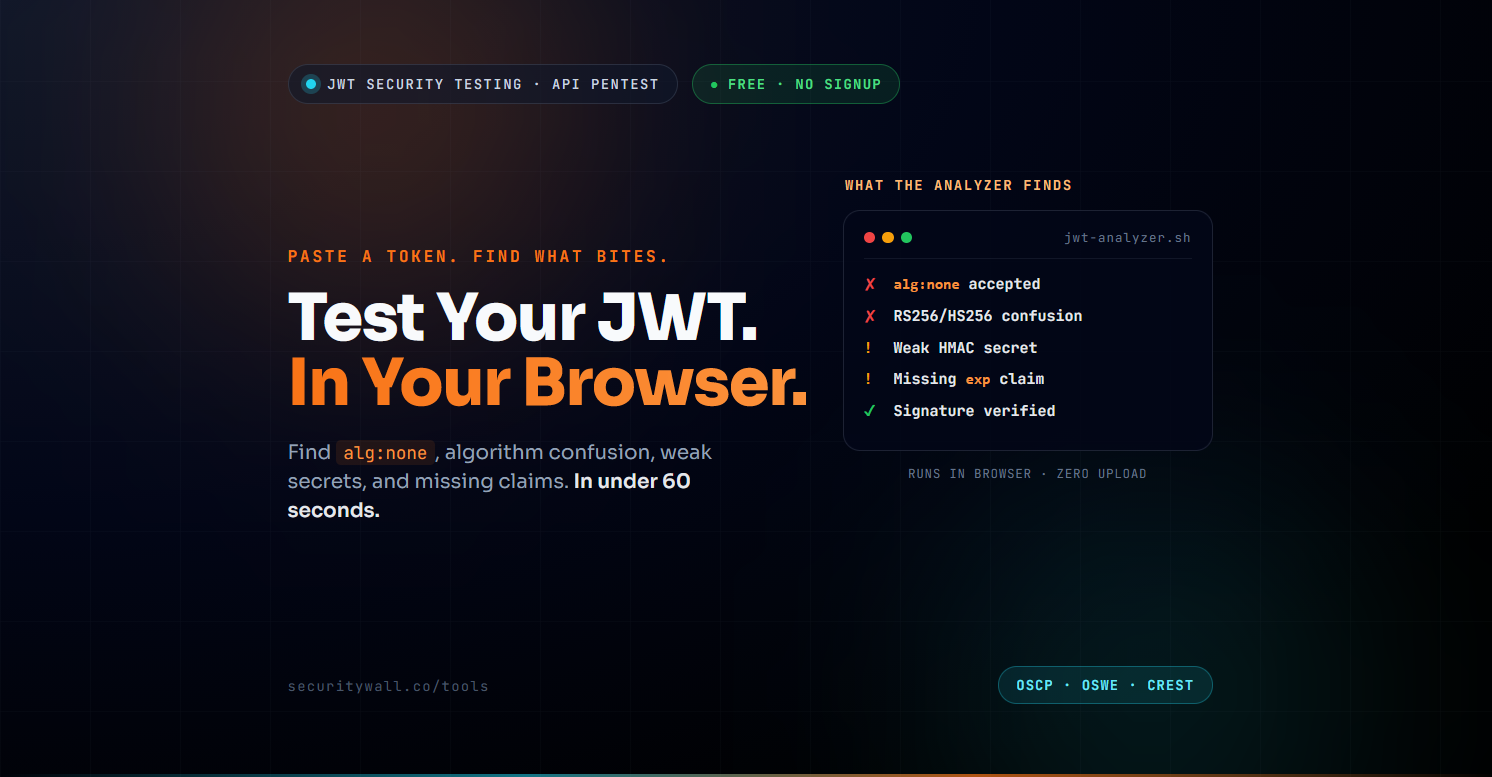
SecurityWall's free JWT Analyzer runs in your browser, requires no sign-up, and flags the issues attackers actually exploitalg:none, algorithm confusion between RS256 and HS256, weak HMAC secrets, missing or unvalidated claims, expired-token acceptance, and the header-injection vectors that bypass otherwise-solid authentication. This guide walks through what the tool finds, how to interpret the findings, and where automated tooling stops and a full API penetration test begins.
If you are an engineer who has just been handed a JWT and asked "is this secure?" start with the analyzer, then read on. If you are a security lead scoping API testing for an audit, the second half of this guide is for you.
- What JWT Vulnerabilities Actually Get Exploited
- How to Use the JWT Analyzer — Step by Step
- Understanding Your JWT Analysis Results
- Algorithm Confusion and the alg:none Attack
- Weak Secret Detection and What to Do If You Fail
- Beyond the Analyzer — Where Tools Stop and Pentest Begins
- When to Graduate from Free Tool to API Pentest
What JWT Vulnerabilities Actually Get Exploited
The JWT specification (RFC 7519) is flexible by design and that flexibility is exactly what creates the attack surface. These are the JWT vulnerability classes seen routinely in production pentests:
- alg:none acceptance. The original JWT spec includes
"alg": "none"for unsigned tokens. Many libraries historically accepted these and a surprising number of legacy applications still do. An attacker drops the signature, setsalgtonone, and the token validates as authentic. - Algorithm confusion (RS256 to HS256). When a server signs tokens with RSA (
RS256) but its library is willing to verify them as HMAC (HS256), the attacker uses the server's public RSA key as an HMAC secret to forge a token. Classic vulnerability documented in 2015 and still present in code today. - Weak HMAC secrets.
HS256,HS384, andHS512use a shared secret as the HMAC key. If the secret is a dictionary word, a short string, or worse a default likesecretoryour-256-bit-secret, an offline brute-force attack recovers it in minutes.hashcatmode 16500 is built for this. - Missing or unvalidated claims. Tokens carry claims
iss,sub,aud,exp,nbf,iat,jti. Servers that skip validation ofexpaccept expired tokens indefinitely; servers that skipaudvalidation accept tokens minted for entirely different services; servers that skipissaccept tokens from malicious issuers. - kid header injection. The
kid(key ID) header tells the server which key to use to verify. If the server looks up keys from a database or filesystem usingkidvalue without sanitisation, you get SQL injection or path traversal sometimes leading to full key substitution. - jku / x5u header SSRF. The
jkuandx5uheaders can point to remote JWK Set URLs. Servers that fetch and trust arbitrary URLs are SSRF-vulnerable and accept attacker-hosted keys. - Token leakage. JWTs in URLs end up in browser history, server logs, and referrer headers. JWTs in client-side JavaScript bundles or source maps leak secrets directly.
- No signature verification at all. A surprising number of applications decode the JWT, trust the claims, and never verify the signature.
None of these are theoretical. All of them feature in real penetration test reports, bug bounty payouts, and post-mortems.
How to Use the JWT Analyzer — Step by Step
The analyzer runs entirely in your browser tokens are never sent to a server, which matters when the token you are testing is real and active. Here is the workflow.
- Open the analyzer. Go to securitywall.co/tools/jwt-analyzer. No sign-up, no account, no waitlist.
- Paste the JWT. A JWT looks like
header.payload.signaturethree base64url-encoded segments separated by dots. Paste it into the input field. If you are extracting from anAuthorizationheader, the value afterBeareris the token. - Run the analysis. The analyzer parses the header and payload, decodes the claims, and runs its security checks.
- Review the decoded header. Look at
alg(the signing algorithm) andtyp(usuallyJWT). Ifalgisnone, you already have your first finding. - Review the decoded payload. The claims dictate what the token grants. Check for
exp(expiry),aud(intended audience),iss(issuer),sub(subject), and any custom claims your application uses. - Read the security findings. The analyzer flags issues across the algorithm, claims, and signature dimensions each finding includes a severity rating and a short explanation of why it matters.
- Test fixes. Modify the token (drop the signature, change
alg, alter claims) and re-run to verify whether your application accepts what it should reject. This is the manual step that turns the tool from a checker into a testing instrument.
A typical workflow for an engineer auditing their own API: capture a live token from a real authenticated session, paste it into the analyzer, then take any finding the tool surfaces and test whether the application actually allows the attack vector that finding implies. Tools surface possibilities; engineers verify exploitability.
Understanding Your JWT Analysis Results
The analyzer's output breaks down into four logical sections.
Header analysis. What signing algorithm the token claims, and whether that algorithm has known weaknesses or is suspicious in context. none is always a critical finding. HS256 with a token from a production API is a yellow flag production systems should usually be on asymmetric (RS256/ES256) algorithms to avoid the shared-secret pitfalls.
Claims analysis. What claims are present and which are missing. The analyzer flags missing exp (no expiry token valid forever), expired exp that your application might still accept, missing aud (token can be replayed across services), and missing iss (issuer trust assumed without verification). Custom claims are surfaced for manual review.
Signature analysis. Whether the signature is present and well-formed. For HMAC tokens (HS*), the analyzer can attempt to detect weak secrets via dictionary testing flagging if your secret is one of the common defaults or a short string.
Risk summary. A consolidated view of severity-rated findings, so you can prioritise. Critical findings (alg:none acceptance, algorithm confusion, weak HMAC) demand immediate action; informational findings can feed into your security backlog.
The results are most useful when read alongside the code that issues and validates the token. A finding flags the possibility of a vulnerability; whether your application is actually exploitable depends on how your validation code handles the specific case.
Algorithm Confusion and the alg:none Attack
These are the two highest-impact algorithm-layer attacks the analyzer surfaces, and they are worth understanding in detail.
The alg:none attack. Set the alg field in the header to none and remove the signature entirely. A vulnerable application that accepts unsigned tokens will treat your forged claims as authentic. Test by taking a real token, swapping alg to none, dropping the signature segment (leaving the trailing dot), modifying the payload to elevate your privileges, and re-sending. If the application accepts it, you have a critical bypass. The fix is server-side: explicitly reject any token where the algorithm header is none, and never let the token header dictate which algorithm the library uses.
The RS256-to-HS256 confusion attack. When your application signs tokens with RSA (RS256) and the verification library reads the algorithm from the token header, an attacker can change the header to HS256 and sign the token using the public RSA key as an HMAC secret. Because the same key bytes are accepted by both code paths in a naively-written verifier, the signature validates. The fix is to pin the expected algorithm server-side verifyTokens with algorithms: ['RS256'] explicitly, not algorithms-from-header.
Both attacks share the same root cause: trusting the token header to tell the library how to verify the token. Solid JWT implementations never do this. They pin the expected algorithm and reject anything else outright.
Weak Secret Detection and What to Do If You Fail
If your tokens use HS256, HS384, or HS512, the HMAC secret is the single point of failure. If an attacker recovers it, they can mint tokens with arbitrary claims and your application will accept them as authentic.
The analyzer tests for weak secrets by attempting common dictionary values against the token's signature. If the analyzer succeeds meaning your secret was guessable from a short list that finding is critical. In an actual offline attack, attackers use hashcat mode 16500 with much larger dictionaries (rockyou, custom wordlists, mutation rules), so a tool's quick check is the floor, not the ceiling: if the analyzer's small dictionary catches your secret, every attacker's larger one will too.
If you fail the weak-secret check, the remediation is straightforward:
- Rotate the secret immediately. Existing tokens signed with the old secret should be invalidated (your application needs token-revocation or short-lived tokens for this to work cleanly).
- Generate a cryptographically random secret of at least 256 bits.
openssl rand -base64 32produces a clean one. Store it in a secrets manager not in code, not in a.envcommitted to git. - Consider migrating to asymmetric signing (
RS256orES256). Asymmetric keys avoid the shared-secret class of vulnerability entirely; the verifier only needs the public key, which can be distributed safely. - Audit where the secret has been. Anywhere it has appeared old commits, CI logs, developer machines, backups is potentially compromised. Rotation alone is necessary but not sufficient if the old secret leaked.
Beyond the Analyzer — Where Tools Stop and Pentest Begins
An automated JWT analyzer is the right starting point. It will not, by itself, be the end of a serious API security assessment. Here is what it does well and what requires hands-on testing.
| Coverage area | JWT Analyzer | Manual API pentest |
|---|---|---|
| alg:none acceptance | Detects in header | Tests live exploitability |
| Algorithm confusion | Flags risky algorithms | Forges tokens, tests acceptance |
| Weak HMAC secrets | Dictionary check | Full hashcat brute force with rules |
| Missing claim validation | Flags missing claims | Tests whether server actually validates |
| kid / jku / x5u injection | Not covered | Live SSRF and lookup tests |
| Token leakage paths | Not covered | Source map, log, referrer audits |
| Business-logic abuse | Not covered | Claim tampering, privilege escalation |
| Authorisation logic flaws | Not covered | IDOR, scope confusion, cross-tenant |
Use the analyzer to catch the low-hanging issues and pre-test before a paid engagement. Use a manual API pentest when you need exploitability evidence, business-logic coverage, and a report that holds up under audit or customer review.
The analyzer catches what tooling is good at: structured, deterministic checks against a single token. What it cannot do is verify whether your server actually accepts the forged tokens it suggests should be tested, exercise the full claim-tampering and authorisation-bypass surface, or test the supporting infrastructure (key management, token revocation, refresh flows). That is hands-on testing work.
When to Graduate from Free Tool to API Pentest
If any of these apply to you, the free analyzer is your starting point not your finishing line:
- You are preparing for SOC 2, ISO 27001, PCI DSS, or NIS2. Auditors expect a third-party penetration test report that goes beyond automated tool output. The analyzer can pre-test before you commission paid work, but it does not produce the report your auditor will accept.
- Your API handles regulated data, payments, or production customer workloads. Manual testing is the only way to validate that controls actually hold under adversarial conditions.
- You have just shipped or are about to ship a major API release. Significant change calls for proportionate testing and JWT-specific findings from a quick scan are the floor, not the ceiling, of what a fresh release deserves.
- You are pitching enterprise customers. Procurement teams increasingly require evidence of independent penetration testing as part of vendor onboarding.
- The analyzer found something serious and you need to know how far the impact reaches. A finding from a tool tells you a vulnerability exists; a manual test tells you what an attacker can actually do with it.
SecurityWall's penetration testing covers JWT-specific issues alongside the wider API attack surface — authentication, authorisation, business logic, rate limiting, input validation, and the supporting infrastructure. Reports are formatted to satisfy SOC 2 auditors, ISO 27001 certification bodies, PCI DSS QSAs, and NIS2 supervisors, with retesting included.
Related reading:
- Penetration Testing Cost Guide 2026
- Assumed-Breach Penetration Testing Methodology
- Penetration Testing for SOC 2, ISO 27001 and PCI DSS
- NIS2 Penetration Testing Requirements
- SOC 2 Penetration Testing Requirements
Frequently Asked Questions
What is a JWT Analyzer and what does it test?
A JWT Analyzer is a tool that decodes a JSON Web Token, inspects the header, payload, and signature, and flags security issues including alg:none acceptance, algorithm confusion risks, weak HMAC secrets, missing or unvalidated claims, and expired-token handling. SecurityWall's free JWT Analyzer runs entirely in the browser, with no sign-up or token transmission to a server.
Is the SecurityWall JWT Analyzer free?
Yes. The JWT Analyzer at securitywall.co/tools/jwt-analyzer is free to use, requires no sign-up, and processes tokens entirely in the browser. Tokens are never transmitted to a server.
What is the alg:none JWT vulnerability?
The alg:none vulnerability is when a JWT library accepts tokens with the algorithm header set to none and no signature. Attackers can craft unsigned tokens with arbitrary claims and the application treats them as authentic. The fix is to explicitly reject any token where the algorithm header is none, and to pin the expected algorithm server-side rather than letting the token header dictate it.
How do I detect a weak JWT secret?
For HMAC-signed tokens (HS256, HS384, HS512), test the secret by attempting a dictionary attack. The SecurityWall JWT Analyzer runs a quick dictionary check; tools like hashcat mode 16500 run larger offline attacks. If a short dictionary recovers your secret, an attacker with a real wordlist will too. Rotate to a cryptographically random secret of at least 256 bits or migrate to asymmetric signing.
What is the RS256 to HS256 algorithm confusion attack?
When an application signs tokens with RSA (RS256) but its verification library reads the algorithm from the token header, an attacker can change the header to HS256 and sign the token using the server's public RSA key as an HMAC secret. The signature verifies if the library accepts it. The fix is to pin the expected algorithm server-side and reject any other algorithm outright.
Can a JWT Analyzer replace a penetration test?
No. An analyzer detects structural and header-level issues in a single token, but it cannot test live server behaviour, business-logic flaws, authorisation bypasses, kid/jku header injection vulnerabilities, token leakage paths, or the supporting key management and revocation infrastructure. A manual API penetration test produces the report auditors and enterprise customers expect.
Why are my JWTs vulnerable even though I am using a popular library?
Most JWT vulnerabilities come from configuration, not the library itself. Common causes: letting the token header dictate the verification algorithm, not pinning expected algorithms, not validating exp, aud, or iss, using HMAC with a weak secret, or accepting alg:none. Even modern libraries can be misconfigured into these failure modes.
Tags
About Hamza Razzaq
Hamza Razzaq is a cybersecurity professional with 10 years of SOC operations experience, specializing in threat monitoring, incident response, and SIEM-based detection across enterprise environments.