
Guide for JWT Analyzer & Security Checker Tool
Hisham Mir
January 2, 2026
JSON Web Tokens are a core part of modern authentication and API security, which is why searches for a reliable JWT security checker or JWT analyzer continue to grow. While JWTs are easy to generate and integrate, they are also easy to misuse in ways that are not immediately visible during development.
Most JWT security issues are not caused by broken cryptography. They are caused by missing validation, unsafe assumptions about claims, overly long token lifetimes, and a lack of tooling to asses risk once tokens are issued.
This guide explains how to use JWT analyzer correctly, using the SecurityWall JWT Analyzer from the tools collection. The goal is not just to decode a JWT, but to perform proper JWT token validation and security analysis with best practices.

When You Should Use a JWT Analyzer
A JWT analyzer is essential whenever you need to determine whether a token is actually safe to trust, not just syntactically correct.
Common scenarios include pentesting, debugging authentication issues, validating tokens during application security reviews, investigating incidents involving stolen or replayed tokens, performing penetration tests, or reviewing JWT configuration before deploying to production.
In all of these cases, decoding a token is insufficient. Effective JWT security analysis requires verification, claim validation, lifetime analysis, and context around how the token can be abused.
Step 1: Analyze the JWT Token Securely
The first step in any JWT token analysis is loading the token in a way that does not introduce additional risk.
When using the SecurityWall JWT Analyzer, tokens are analyzed entirely in the browser. No token data, secrets, or keys are transmitted to external servers. This design is critical because JWTs often contain live authentication data, and many teams avoid online tools for fear of leaking sensitive material.
By keeping all analysis client-side, the JWT security checker can be used with real production tokens, not just sanitized examples, which significantly improves the accuracy of security reviews.
You can begin analysis directly using the JWT Analyzer tool on SecurityWall.
Step 2: Decode the JWT With Security Context
Once the token is loaded, the JWT analyzer decodes it into its header, payload, and signature.
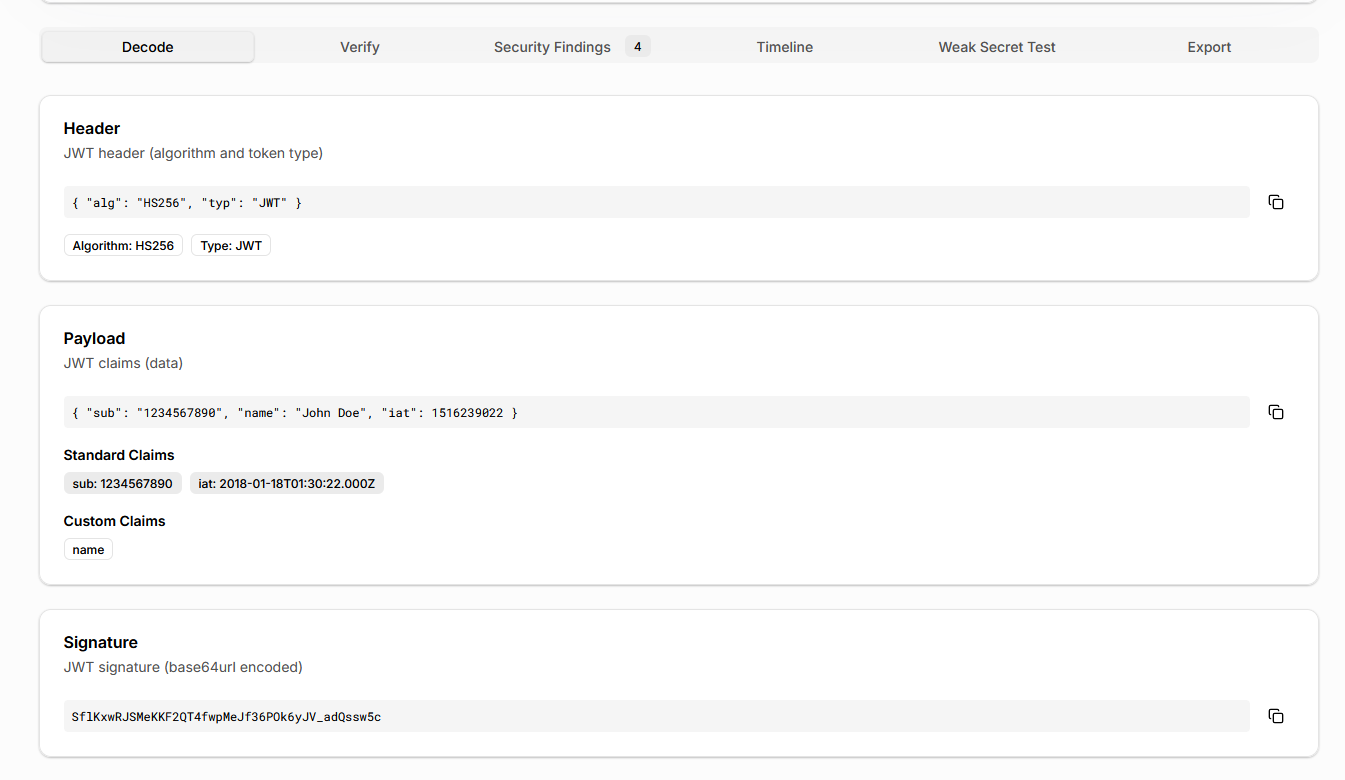
What separates a security-focused JWT analyzer from a basic decoder is context. Standard JWT claims such as issuer, audience, expiration, issued-at, and not-before are clearly distinguished from custom application claims.
This makes it easier to spot two common issues: missing security-critical claims and unintended data exposure in the payload. In real security assessments, sensitive application data embedded in JWT payloads is a frequent and overlooked risk.
Step 3: Verify the JWT Signature Explicitly
Decoding a JWT does not verify it.
A proper JWT security checker must confirm that the token signature is cryptographically valid. The SecurityWall JWT Analyzer detects the signing algorithm declared in the JWT header and requires the correct secret or public key to perform verification.
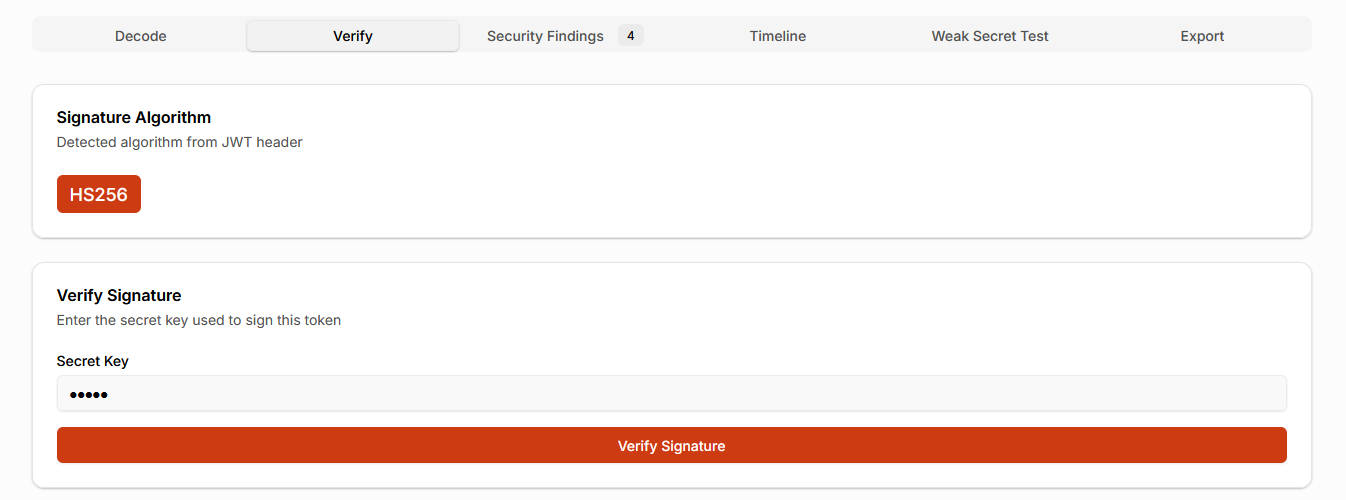
Verification status is clearly displayed so there is no ambiguity about whether a token was actually validated or merely decoded. This distinction is crucial during incident response, where teams often discover that tokens were accepted without proper verification.
Step 4: Confirm the Signing Algorithm Is Safe
JWT vulnerabilities frequently arise from algorithm misuse rather than cryptographic failure.
The analyzer surfaces the signing algorithm used by the token and highlights unsafe or unexpected scenarios, such as missing verification or algorithm mismatches. This helps teams detect issues like algorithm confusion and unsafe defaults before they lead to authentication bypass.
From a real-world security perspective, making algorithm usage explicit is one of the most effective ways to prevent JWT-related breaches.
Step 5: Validate JWT Claims Automatically
Manual claim inspection does not scale and is prone to error.
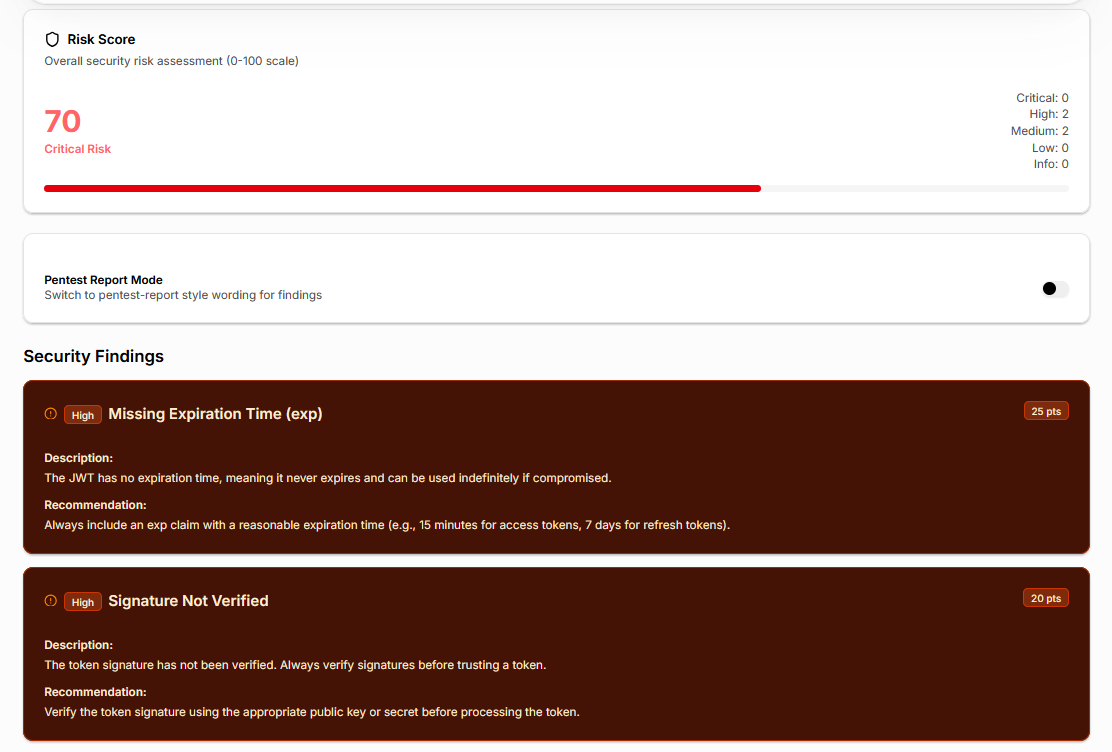
The JWT analyzer evaluates whether required claims such as expiration, issuer, and audience are present and reasonable. Missing or unsafe claims are surfaced as security findings rather than informational notes.
This step directly addresses one of the most common JWT vulnerabilities: tokens that never expire or can be reused across services. Automated claim validation ensures these issues are consistently detected.
Step 6: Analyze Token Lifetime and Replay Risk
JWT lifetime issues are difficult to reason about by reading timestamps alone.
The SecurityWall JWT Analyzer includes a token timeline view that visualizes issued-at, not-before, and expiration values. This makes it immediately clear how long a token has already been valid and how long it remains usable.

In real incidents, teams frequently discover that tokens remain valid far longer than intended. Visual lifetime analysis helps identify replay risk and overly permissive expiration policies.
Step 7: Test for Weak Signing Secrets (HMAC Tokens)
For HMAC-signed tokens, weak secrets remain a major risk.
The analyzer supports weak secret detection using built-in and configurable wordlists. When a guessable or reused secret is identified, the tool generates a structured security finding explaining the impact and remediation.
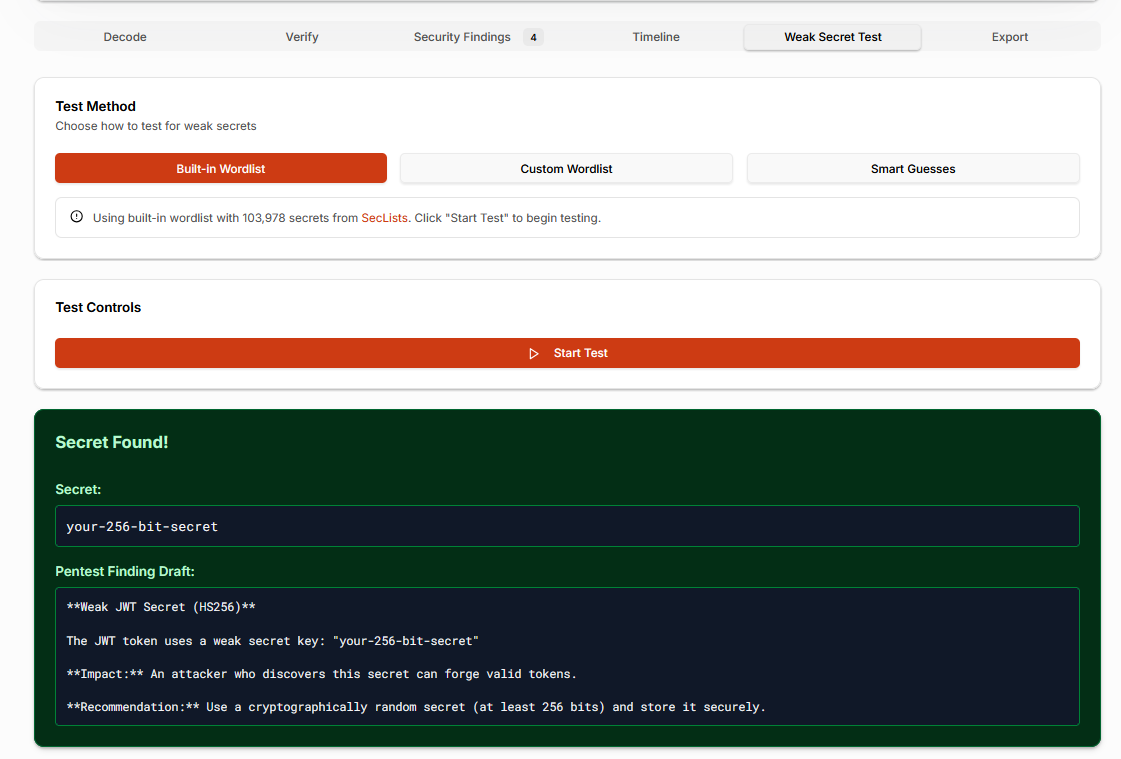
This feature is especially valuable because weak JWT secrets are rarely caught during code review and often only discovered after exploitation.
Step 8: Review Security Findings and Risk Score
Instead of forcing reviewers to interpret dozens of individual signals, the JWT analyzer aggregates findings into a security risk score on a 0–100 scale.
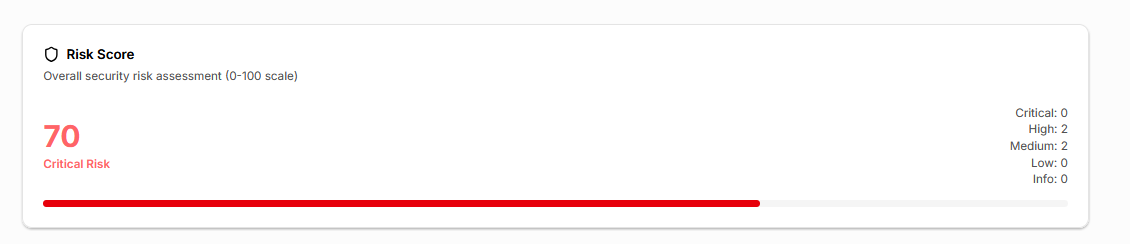
The score reflects verification status, claim hygiene, lifetime exposure, weak secret detection, and payload risk. This provides a clear, defensible way to decide whether a token meets acceptable security standards.
From an engineering and security standpoint, this makes JWT security validation repeatable, which is critical for audits, reviews, and penetration testing.
Step 9: Export JWT Analysis for Reviews and Audits
JWT analysis rarely ends inside the tool.
The SecurityWall JWT Analyzer supports exporting findings in formats suitable for real workflows, including structured data for automation and readable reports for security reviews and assessments. Sensitive payload values can be redacted during export to avoid leaking authentication data.
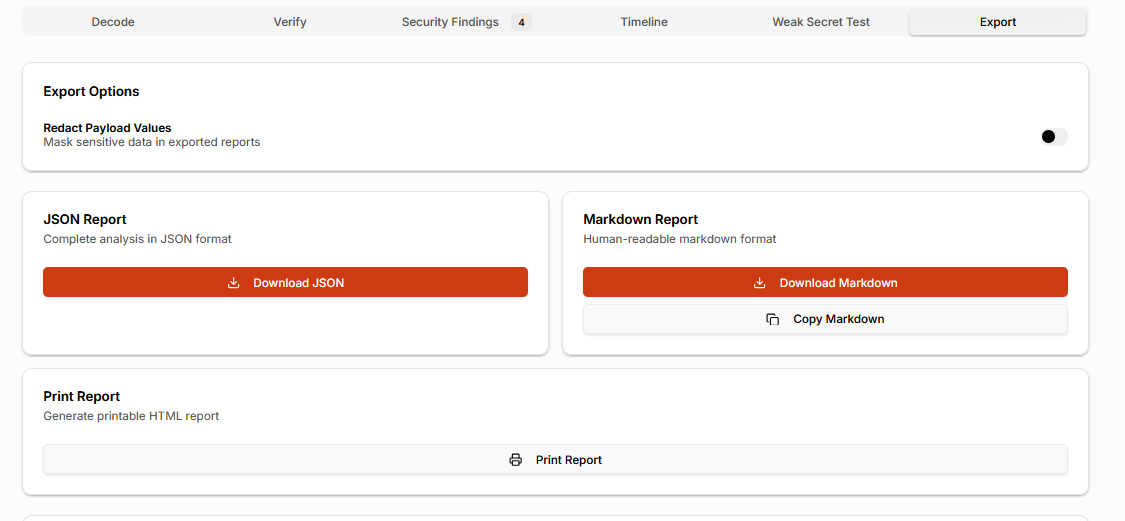
This eliminates the need to manually rewrite findings and reduces the risk of copying sensitive JWT data into tickets or reports.
A proper JWT analyzer does more than decode tokens. It verifies them, validates claims, analyzes lifetime risk, and provides the context needed to make correct trust decisions.
The SecurityWall JWT Analyzer was built to make JWT security analysis practical, safe, and repeatable for real-world systems. If your applications rely on JWTs for authentication or API access, using a dedicated JWT security checker is not optional. It is part of operating a secure system to implement JWT best practices.
Tags
About Hisham Mir
Hisham Mir is a cybersecurity professional with 10+ years of hands-on experience and Co-Founder & CTO of SecurityWall. He leads real-world penetration testing and vulnerability research, and is an experienced bug bounty hunter.